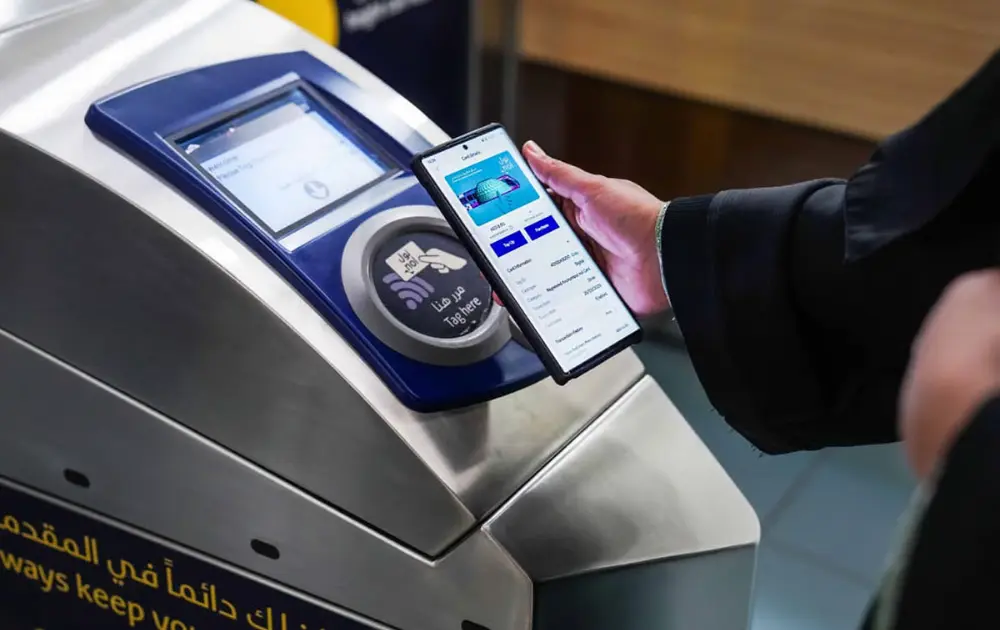
Tap once and ride anywhere in Dubai. No paper, No queue, and No guesswork.
Virtual Nol Card: Your Digital Gateway to Dubai’s Public Transport
Gone are the days of coins, cards, and queues to recharge your Nol cards. Your phone is your ticket to Dubai’s public transport systems: Metro, bus, tram, and even parking and small payments. You won’t need to carry another physical card to pay.
This is a virtual Nol card guide. You’re going to learn how it works, how to set it up, how to recharge Nol cards online, and how it impacts student Nol card discounts, and the Nol card unlimited all zones price.
What is a virtual Nol card?
A virtual Nol card simply replaces the physical Nol card and is a Digital Nol card stored on your smartphone. You can pay for:
- Dubai Metro
- RTA Buses and feeder buses
- Dubai Tram
- Some marine services
- Taxis
- Parking and partner shops
You can simply tap your phone at the gate or validator. RTA also offers Digital Nol on their Official Apps primarily Nol Pay and RTA Dubai App.
You can:
- Buy or register a virtual Nol card
- Perform RTA card recharge online
- Check your trips and fares
- Link your Emirates ID on the personal card
You will still pay the same zone fares and rules as a physical card. The only big advantage is that everything is on your phone.
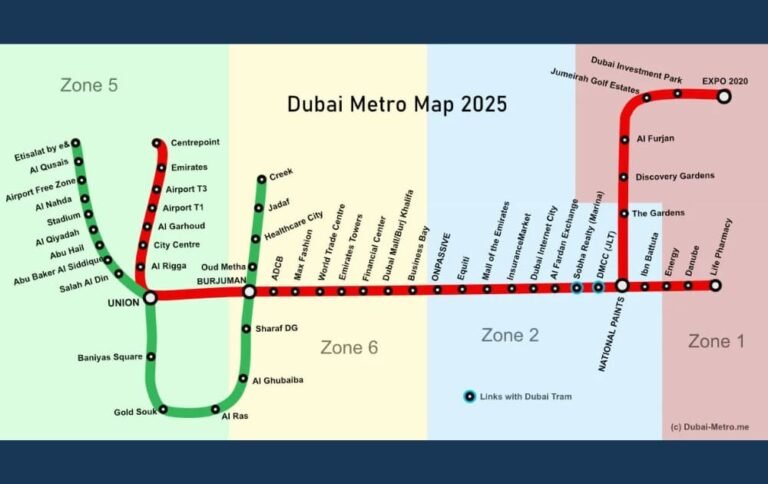
If you’re a new Dubai resident or a tourist, understanding the metro system is essential. Dubai Metro Map 2025: Complete Route and Station Overview for a complete, updated route and station guide.
How to get a Digital Nol Card on your phone?
Device support might change, but the process remains the same for the most part.
Step one is to `Install the right app`
You can use:
Step 1: Nol Pay App (Official RTA App Focused on Nol)
Download RTA Dubai App or other supported wallets (Depending on your phone model). Please download from your phone’s official app store only.
Step 2: Create or Add Your Card
When you enter the app, you should see the following options:
- Create virtual Nol card (new digital card)
- Nol Card Balance Check
- Convert existing card to e-card (if you already have a Silver/Gold/Blue card)
- Follow prompted instructions. What you may need includes:
- An NFC phone
- A local mobile number
- An Emirates ID (for a personal / blue card)
Step 3: Add Balance or Passes
After your digital Nol card is created, you can create an RTA Nol Card topup online path. No need to visit a ticket office to see your RTA Nol card balance or topup. For balance in your digital Nol card you can:
- Add a balance using a credit or debit card through the app
- Use online banking (for the online banking option)
- Recharge at the balance card machines, the balance will still link to the same card account.
Virtual vs Physical Nol Card Comparison
| Feature | Physical Nol Card | Virtual Nol Card |
|---|---|---|
| How you carry | Plastic card in your wallet | Inside your phone (app/wallet) |
| How you pay | Tap the card on the gate/validator | Tap phone or digital watch on the gate/validator |
| Nol card recharge | Machines, shops, websites, apps | Direct in app + all physical recharge options |
| RTA Nol card check balance online | Websites, apps, and some machines | Stored in the app, often with trip history |
| Risk of losing it | Easy to forget or misplace | Safer if the phone is locked and secured |
| Support for student Nol card | Yes | Yes, if linked and supported in the app |
Both can coexist. Many people keep a physical Silver or Student Nol card and also use a virtual Nol card on a phone as backup.
Nol Card Types and Student Nol Card Discounts
Card types matter still in this digital world. Physical and virtual both card types follow the same rules. Main Nol card categories are:
Silver Nol Card:
- Standard card for most residents and visitors
- Work on all public transport and many non-transport payments
- Same as Silver but for Gold Class cabins on Metro and Tram
- Fares are higher because you sit in Gold Class
Blue/Personal Nol Card
- Registered to you
- Suitable for students and senior citizens seeking discounts
- Balance can be recovered if the card gets lost
Red Ticket (paper)
- Short-term or occasional use
- Used by tourists mostly as compared to daily commuters
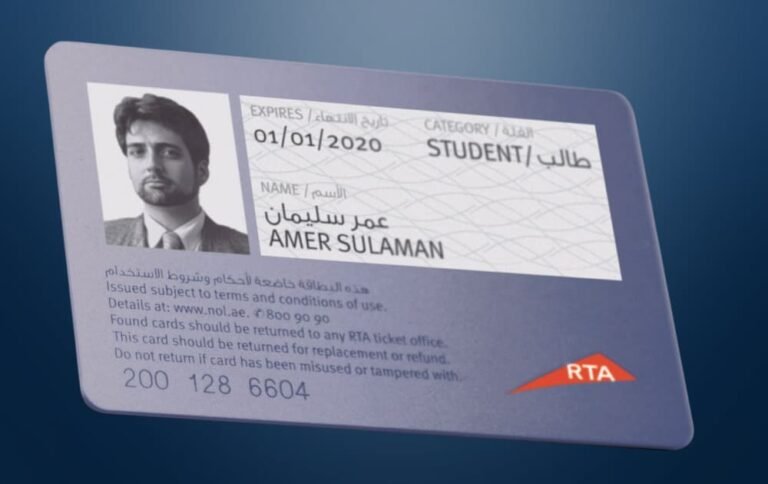
You can choose your Nol card as per your needs. For real savings, especially if you are a student, a personal/blue card is suggested as this card has a student Nol card discount option.
Planning to use the Dubai Metro today? Before checking the latest timings, it’s helpful to review the Dubai Metro Timings Today (2025) Guide to understand all routes and stations for a smoother journey.
Nol Card Unlimited All Zones Price: Passes and Travel Cards
If you travel a lot, it is cheaper to use an unlimited pass instead of a pay-per-trip option. These passes are stored on your Nol card (physical or virtual) and work across Metro, Tram and most buses within selected zones.
7-Day Passes (Unlimited With Zones)
Have a quick look at the Nol card unlimited all zones price for 7-days passes.
| Card Type | Validity | 1 Zone (AED) | 2 Zone (AED) | All Zones (AED) |
|---|---|---|---|---|
| Silver Nol Card | 7 days | 50 | 80 | 110 |
| Gold Nol Card | 7 days | 100 | 160 | 220 |
| Student Nol Cards* | 7 days | 25 | 40 | 55 |
Student pricing applies through a Personal/ Blue Nol Card with a student status.
30-Day Passes (Unlimited With Zones)
30 days passes offer a strong value to frequent riders.
| Card Type | Validity | 1 Zone (AED) | 2 Zone (AED) | All Zones (AED) |
|---|---|---|---|---|
| Silver Nol Card | 7 days | 50 | 80 | 110 |
| Gold Nol Card | 7 days | 100 | 160 | 220 |
| Student Nol Cards* | 7 days | 25 | 40 | 55 |
If you care only about “all zones, unlimited”:
- Silver, all zones, 30 days: AED 350
- Silver, all zones, 7 days: AED 110
- Student Nol card, all zones, 30 days: AED 175
These passes are valid on most RTA public transport, but not on certain intercity and seasonal routes, so always check the fine print.
If you’re updating your card details or switching categories, you may also need to Renew your Nol Card during the process.
Nol Card Recharge: Easy Online Options
You have many ways to do Nol card recharge and RTA card recharge online.
Nol Card Balance Check, Online and App Options
- Nol Pay app – recharge with your phone and NFC
- RTA website – RTA Nol card top up online using card number
- S’hail app – journey planning and top-up in one place
These channels also support:
- RTA Nol card check balance online
- Viewing recent trips and fares
Offline options
- Metro and Tram ticket machines
- RTA Customer Happiness Centres
- Bus station counters
- Grocery stores and petrol stations that act as top-up agents
You can mix these methods. As an example, you can recharge online. Then confirm and activate the balance by tapping a gate or a machine to use it on your next trip if it is needed.
How to Have a Nol Card Balance Check with a Number?
Sometimes, there is no card in front of an NFC reader, and you still want to check the money that is available on it. RTA supports Nol card balance check with number through its site.
Basic steps:
- Go to the Nol balance section on rta.ae
- Type your Nol tag ID (it is the number printed on your card).
- Click search. The page shows your current balance, along with some recent transactions.
You can also have your RTA card recharge online by entering payment details. The process is the same for both physical and digital Nol card accounts.
To unlock exclusive rewards and earn points on every ride, make sure to Register NOL Plus today.
Why a Virtual Nol Card makes Daily Travel Easier
A virtual Nol card doesn’t change the system. It just cuts down hassle. Regular riders switch because:
- There is one less card to carry. Your phone does the tapping.
- Nol card recharge is always in your pocket. No need to hunt for a machine.
- Balance checks and RTA Nol card top up online take just a few quick taps.
- If you use a Student Nol card or other concessions, you can enjoy the same discounts.
- You can monitor the Nol card unlimited all zones price options and switch from pay per trip and passes within the supporting apps.
As long as your phone is charged and supported, a digital Nol card turns public transport into a simple “tap and go” habit.
NOTE: If you are new to Dubai or tired of juggling cards, you can start with:
- A Silver or Personal, or a blue Nol card with student status if you qualify.
- Install Nol Pay or the RTA Dubai app.
- Set up your virtual Nol card. If you are a frequent rider, add a 7-day or 30-day pass and keep your balance topped up online.
That is enough to move around the Dubai Metro, bus, and tram network with fewer stops, fewer lines, and far less guesswork.
FAQs About the Virtual Nol Card
Conclusion
A virtual Nol card is a digital pass that lets you travel on public transport in Dubai. It is a virtual pass that can be carried on your smartphone. Do Nol card recharge and check the fares quickly in just a few seconds. Riding the Metro, trams, and buses is easy. You only need to tap your phone.
The digital version of your Student Nol card or your personal card with passes still includes unlimited Nol card all zones price options. You can have an RTA Nol card balance check online or Nol card balance check with a number using the RTA or Nol Pay app for RTA card recharge online to skip the queues.
After setting up your digital Nol card, all you have to do is keep your phone charged. Your daily trips on the Metro and buses will be easy to handle and hassle-free.